Lola’s Special Creator Spotlight ♡
Today’s three picks · Central TimeSTUDIO SOUNDTRACKStarting your soundtrack…
A LITTLE PLANNING, A LITTLE MAGIC
Lola’s Studio Calendar ♡
Holidays, life updates, and time to create together. Find my confirmed VC tutorial sessions here.
🐰 Curated by Lola · Public scheduleLoading the latest schedule…
This month’s little plans
VC times are shown in Central Time (America/Chicago). A holiday does not automatically mean I’m available. Only confirmed tutorial sessions appear as VC events.
Federal dates and observed days follow the U.S. Office of Personnel Management (opens in a new tab). Other holidays are a selection of celebrations, not federal days off.
🎂 Community birthdays ♡
Share your birthday with the Studio! Lola reviews submissions before they appear on the public calendar.
Want your birthday removed later? You’ll need to request removal through Feedback & Requests. Lola manages edits and removals. Include your display name or birthday reference.
Submitted for Lola’s review ♡ Your birthday will appear only after approval.
Reference:
Lola’s birthday manager
Only Lola can approve, edit, hide, or remove birthdays.
Sign in with ChatGPT ↗Lola’s schedule desk ♡
This schedule is managed by Lola. Visitors can browse and download it.
Lola: sign in to manage the schedule →Welcome back, Lola ♡ Add a session, update a date, or upload a schedule. Changes go live only when you select Publish schedule.
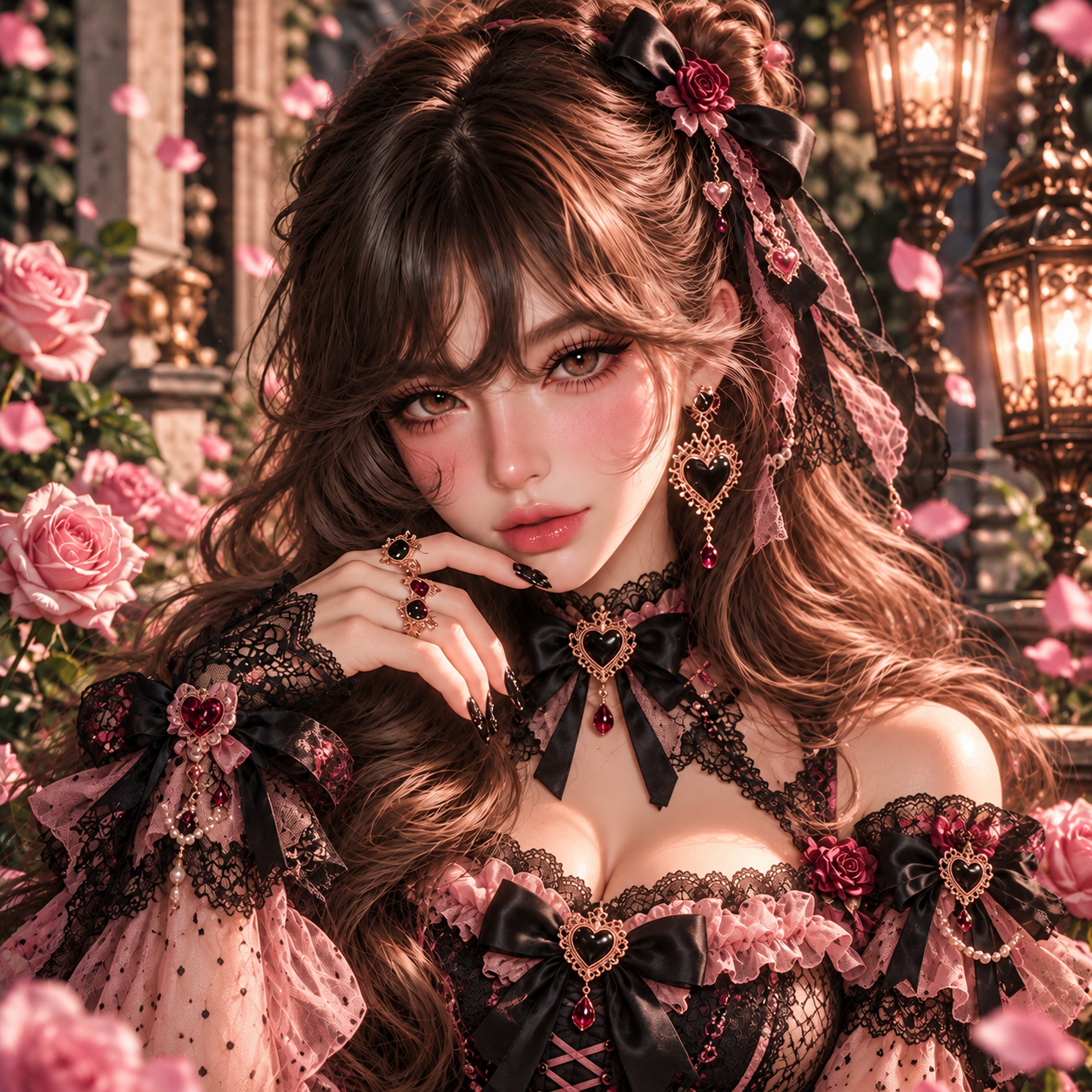
MEET THE CREATOR
Meet Lola
🐰 NotAgainLola ♡Powered by caffeine, creativity & questionable decisions.
Creator • Mommy • Wife • Proud Filipina • Part-Time Gremlin
Known as NotAgainLola · Call me Lola, Lolie, Lovey, or Gremlin
Hi, hi! I'm Lola! 💕
You may remember me as Lola Bunny—I now create as NotAgainLola. Same creator, new name! Lola is still my nickname, so please keep calling me Lola. ♡
I create as NotAgainLola, but you can call me Lola! You might also know me as Lolie, Lovey, or Gremlin. Honestly, I answer to pretty much all of them!
I'm a Filipina born in Manila, a proud mommy and wife, a future U.S. Army soldier, and a Tipsy Chat creator who absolutely loves bringing fictional worlds to life.
I created Lola's Interactive Creator Studio to make bot creation easier, more approachable, and a whole lot more fun—especially for beginners!
Whether you're here to build your first character, learn about prompts and trackers, or turn your beautifully chaotic ideas into something playable, welcome to my little corner of the internet!
Come for the creativity. Stay for the chaos. 🖤🐰
Proud FilipinaFamily firstCoffee loverWorldbuilderPart-time gremlin
Find Me & My Communities ♡
Come say hello, meet fellow creators, and join the chaos!
NotAgainLolaExplore my Tipsy Chat characters and creations. (opens in a new tab)Lola’s Personal DiscordMy personal little corner of the internet. (opens in a new tab)The Thirst LabCreative chaos, characters, and community. (opens in a new tab)House NocturneA home for dark, dramatic creativity. (opens in a new tab)TheCollabProblemConnect and collaborate with fellow creators. (opens in a new tab)
A Little More About Lola ♡
The woman behind the bunny ears, caffeine, and creative chaos.
Your studio, one spark at a time. Explore concept starters, plan a collaboration, or build a Tensor Art prompt.
YOUR NEXT STORY STARTS HERE
Good stories start
with a little what if.
Find a spark. Fall for an idea. Make it entirely yours.
A playground for characters, chemistry, and beautiful chaos.
THE IDEA GARDEN
A spark worth keeping.
Mix your inspirationChoose and combine genres, tropes, casts, and tags, then generate a fresh batch. Add your own options below. Saved favorites stay separate from each new batch.
Genres Any
Tropes Any
Cast Any
Tags Any
Adults 18+ only, including supporting characters and backstories. Balanced: emotional conflict and secrets.
5,250 new scenario combinations · 105 conflicts × 50 settings, from gentle community stories to very dark adult mysteries. Choose a tone and generate 5, 10, or 15 at a time.
Generates story combinations in your browser, without a live AI service. You get concepts, opening ideas, and possible directions to develop yourself. All selected genres, tropes, and tags are carried into each idea; selected cast, tone and setting choices vary across a batch. No private creator prompts or files are included.
Taboo / forbidden drama: 616 starters · 104 original incidents plus 512 scenario combinations (64 additional conflicts × 8 settings). Choose this tone in Filters; use Tropes & dynamics to narrow the theme. Adult-only, non-graphic relationship drama.
Opening picks refresh on each visit. Choose a blend for your next batch.
No blend selected. Choose any combination above.
There’s always another possibility.Generate fresh combinations • Export your saved collection for a portable backup
CREATE TOGETHER
One world. Many storytellers.
Build collaboration-only briefs with a shared premise, separate creator roles, and room for every character to move independently.
A guided template builder using your selections. For AI expansion, choose Develop in ChatGPT or Develop in Grok.
Your collaboration blueprint
Saved collaborations
Saved collaborations stay in this browser. Download a copy for portability.
GOOD TOOLS. MORE CREATIVE POSSIBILITIES.
Creator Resources ♡
A compact directory of official AI websites and Lola’s community links. Open a tool when you need it; keep creating here.
AI assistants
ChatGPT ↗Writing, brainstorming and working through your next idea.Official website · opens in a new tabGrok ↗Explore ideas and develop your copied concept blueprint.Official website · opens in a new tabClaude ↗Develop writing, outlines and longer creative documents.Official website · opens in a new tabGoogle Gemini ↗A general AI assistant from Google.Official website · opens in a new tabPerplexity ↗Explore questions and research starting points.Official website · opens in a new tab
Character chat & roleplay
Tipsy Chat ↗Character creation, interactive stories and roleplay.Official website · opens in a new tabJanitor AI ↗Interactive AI characters and stories.Official website · opens in a new tabPolyBuzz ↗Character chats and roleplay on its official website.Official website · opens in a new tab
Discord communities ♡ 4 communities · A–Z
Communities added or approved by Lola, listed alphabetically. Invites can expire; follow each server’s rules and age requirements.
Beans ↗The Beans creator community.Community invite · opens in a new tabHouse Nocturne ↗Dark, dramatic creativity and community.Community invite · opens in a new tabThe Thirst Lab ↗Characters, collaboration and creative chaos.Community invite · opens in a new tabTheCollabProblem ↗Connect and collaborate with other creators.Community invite · opens in a new tab
Request to add your Discord ♡
Requests are private to Lola. Your server name, invite and description become public only after approval. Contact details remain private. Request removal through Feedback & Requests or contact Lola.
Manage Discord communities · Lola only
Add a server manually, review private requests, or edit/remove an approved listing. Changes are saved to the shared directory.
Published directory
Official destinations checked October 17, 2026. “Official” identifies the publisher’s destination; it is not a security or privacy guarantee. Each service has its own content rules, age requirements and account terms. This directory does not connect your account or send your Studio drafts.
How these links were checked
AI links were checked against their own official websites or publisher pages. Janitor AI’s domain is also linked from its publisher’s Google Play listing; its homepage could not be fetched during this check. Community invites are added or approved by Lola.
THE VISUAL STUDIO
Your character. Perfectly described.
Build a concise Tensor Art prompt one step at a time. Start with an appearance, choose a scene, then copy two ready-to-use prompts.
Edit one person using the existing steps, then Add person. Select any roster card to change their details. Scene and art style are shared. Use short distinguishing details so the complete group prompt fits the existing 149-word limit. Nothing is silently shortened.
YOUR LORE. READY TO ORGANIZE.
World Book JSON Converter ♡
Paste your approved text or upload a file. Create up to 10 separate World Book JSON files using Lola’s supplied Tipsy template, then download them individually or together in a ZIP.
This converter only converts the information you provide into JSON; it does not create or verify event-trigger logic. You are responsible for reviewing keywords, activation settings, and event conditions, and testing the files in your chat platform so entries do not activate every turn unless intended. New text entries default to “always active” OFF; imported JSON keeps its existing settings. Keyword matching can still repeat; conversion does not add once-only rules or cooldowns.
Conversion runs in this browser. Source text is preserved, not rewritten; automatic keywords and extracted document text should be reviewed. No live AI or file upload to a model.
Leave “always active” off for keyword-based entries. Turn it on only for information you intend to keep active. For text input, a line such as Keywords: midnight delivery, sealed envelope supplies entry keys; otherwise headings or the collection name are used. Review these keys before import. Your chat platform controls actual activation.
Entry length is a configurable splitting limit, not a claimed platform limit. Existing World Book flags are preserved. Automatic splitting uses headings where available and balances entries across non-empty files.
TXT, Markdown, JSON, DOCX, or text-based PDF · 10 MB each · up to 10 uploads / 25 MB combined · 500,000 extracted characters. Uploading replaces the source box. Images, formatting, and scanned PDF text are not converted.
0 source characters
Paste text or upload a file to begin.
Your separate JSON files
Your separate JSON files will appear here.
Edit and validate each JSON preview if needed. Changes to the source or settings regenerate every preview. Generated files match the supplied template; test a small import in the destination before using a large collection.
Save prepared ZIP Individual download buttons appear below each file preview.
YOUR IDEAS HELP THIS STUDIO GROW
Feedback & Requests ♡
Found a bug? Dreaming of a new feature? Tell Lola. Small suggestions are welcome, too.
Submissions go to Lola’s private Studio inbox. They are not posted publicly. Replies are not automatic; an optional contact detail gives Lola a way to follow up. Please leave out passwords and private character documents.
Thank you for helping the Studio grow ♡
Your message is saved in Lola’s private inbox.
Ticket reference:
Keep this reference for any follow-up. A submission does not guarantee a reply or that a feature will be added.
Lola’s feedback inbox
Sign in with the Studio owner account to manage submissions. Other visitors cannot access this inbox.
Sign in with ChatGPT ↗Status changes and notes are private. They do not send a message to the visitor.
EVERY CREATOR STARTS SOMEWHERE
Help & Learning ♡
Build your first adult character step by step, find a studio answer, or pick up a template for your next project.
Ask Carrot Top
Phillip Jon Moore · Your studio help desk menace
Guide-based replies · no live AI connected. Phillip answers from the studio’s FAQs, learning guide, and reviewed Lola’s Tipsy Hub lessons. This chat resets when you reload.
His reference shelf ♡
23 reviewed answers from 19 linked Tipsy Hub lessons: character creation, dialogue, prompts, trackers, collaboration, and World Book JSON. Published snapshot: October 15, 2026. Canva edits need a reference refresh; he does not read Canva live.
Open Lola’s Tipsy Hub ↗ (opens in a new tab)Your bot-building roadmap
Work at your pace. Progress and notes stay in this browser.
Choose a step. You can return to any lesson without losing your notes.
Frequently asked questions
A little help from the community ♡
Bring your question, the tool you used, and what you tried. Save a copy of your work before troubleshooting.
Visit Lola’s Personal Discord ↗ (opens in a new tab)Ask Ktty in House Nocturne ↗ (opens in a new tab)Opening Discord does not send a message or create a support ticket.
A LITTLE STRUCTURE. MORE STORY.
The Tracker Studio ♡
Choose an example, make it yours, and copy a complete tracker blueprint into your bot. The roleplay model maintains the state; this builder creates its display and instructions.
1 · Choose a tracker
Persistent
Show once on every reply. Update only when established story facts change.
Occasional
Maintain state, but show it only on a change, transition, interval, or condition you choose.
Hidden
Maintain internal state without printing the tracker, its values, or its rules.
Your saved tracker drafts
Runtime display example
Portable JSON configuration
A generic configuration schema for adapting or keeping a backup. It is not a platform-specific import file.
Pick a tracker to start. Your active draft and saved drafts stay in this browser.
GUIDANCE BEHIND THE SCENE
OOC Prompt Studio ♡
Build a clear out-of-character instruction for your bot. Choose a purpose, add optional context, then edit and copy your draft.
Your current prompt draft stays in this browser.
These are creator instructions. They do not guarantee model compliance or replace the platform’s own rules.
A FOUNDATION FOR EVERY FICTIONAL PROBLEM
Template Creator ♡
Choose a sheet, keep the sections you need, and fill it in at your own pace. Adapted from Lola’s Canva sheets; leave unknown details open.
Markdown includes edits made above. JSON preserves the structured form fields so you can import them here later; it is a Studio sheet, not a Tipsy World Book.
Your sheet drafts stay in this browser. Download a copy to keep or share.
YOUR NEXT CHARACTER THEME SONG
Suno Song Generator ♫
Build style text and an original English lyrics draft to paste into Suno. Customize the results freely. This creates editable song text locally; it does not generate audio or connect to your Suno account.
0 / 999 characters
0 / 7,999 characters
Drafts are saved in this browser. Each theme uses reusable original stanzas; edit and personalize before publishing.
ONE LITTLE SPARK. ONE VERY FICTIONAL PROBLEM.
Create a Character ♡
Build an adult character one step at a time. Choose a concept before developing the details, then edit and export your starter. This is a local guided builder, not a live AI or image generator.
Build a multi-character bot · 1–20 adults
Use this same character editor for each lead, then Add/update current character. Create next character starts a separate draft while keeping the cast. Open any cast member to revise them, then add/update again. This compiles a bot starter; it does not publish to Tipsy.
Your original single-character workflow remains available below.
Your current selections stay in this browser.
Saved characters ♡
A LITTLE ORNAMENT. A LOT OF PERSONALITY.
Headers & Symbols ❦
Create copyable plain-text headings, dividers and section labels. Choose a style, generate more, and save your favorites. Symbols may look different across fonts and platforms; preview after pasting.
Your text stays readable; decorative symbols do not replace its letters.
Show header examples · 18 aesthetics
Examples use sample text. Copy one or choose Use example; replacing your entered text requires confirmation.
Symbol picker · click to copy
Saved favorites and generator history stay in this browser. Export your saved collection to keep a copy.
THE STUDIO KEEPS GROWING
Patch Notes & Updates ♡
A little record of what has changed, when it was completed, and what you can try next. Newest updates appear first.
This log starts with the recorded releases on October 16, 2026. Earlier Studio features remain available throughout the site.
A NAME WORTH REMEMBERING
The Name Studio ♡
Find a name for your next fictional problem. Expanded person-name traditions, fictional places, worlds, pets and addresses.
Choose your filters, then generate a little inspiration.
Your next character starts here
Curated given and family names combine within each tradition. Gender labels reflect usage, not rules. Some traditions have no separate neutral list yet. Full names use simplified structures; check local conventions when developing a character. Favorites and notes stay in this browser—copy your collection for a backup.
A LITTLE LOVE FOR THE CREATORS
Special Mention Creators
Lola’s featured creator community.
Meet the storytellers, artists, and beautiful troublemakers Lola wants you to know. Tap a portrait to meet the creator, read their introduction, and find their official platform links.
♡ Apply to be Featured
Want to join Lola’s Special Mention Creators? Apply here. Applications, contact details, and private messages are visible only to Lola. Nothing is published automatically. Lola can approve a reviewed public profile; submitting does not guarantee a feature.
Your application stays private until Lola reviews it.
Application reference:
Lola’s Creator Applications · Private Admin
Only you can view applications and private notes. Approve & Feature publishes only the reviewed public profile fields.
Click a creator’s portrait or name to read their introduction and find their official platform links.
Exclusively Lola’s Creator Studio. This independently created studio and its branding belong to Lola. Open for creators to use; access does not imply shared ownership or permission to rebrand the studio. Not affiliated with or endorsed by Tipsy Chat or Tensor Art.
© 2026 NotAgainLola. All rights reserved. Lola’s Creator Studio™
Please do not copy, clone, redistribute, or rebrand this website or its original content, code, design, or branding without permission, except where permitted by law. You’re welcome to use the studio’s tools to create your own original characters and stories. Featured creators’ content and third-party names remain with their respective owners.